// WEB DESIGN
Website Redesign Project Plan: Six Phases From Audit to Launch
Most redesigns go wrong before the first design is drawn. Here's the six-phase plan we use with clients, from auditing the site you already have to the first 90 days after launch, plus what to prepare before you hire anyone.
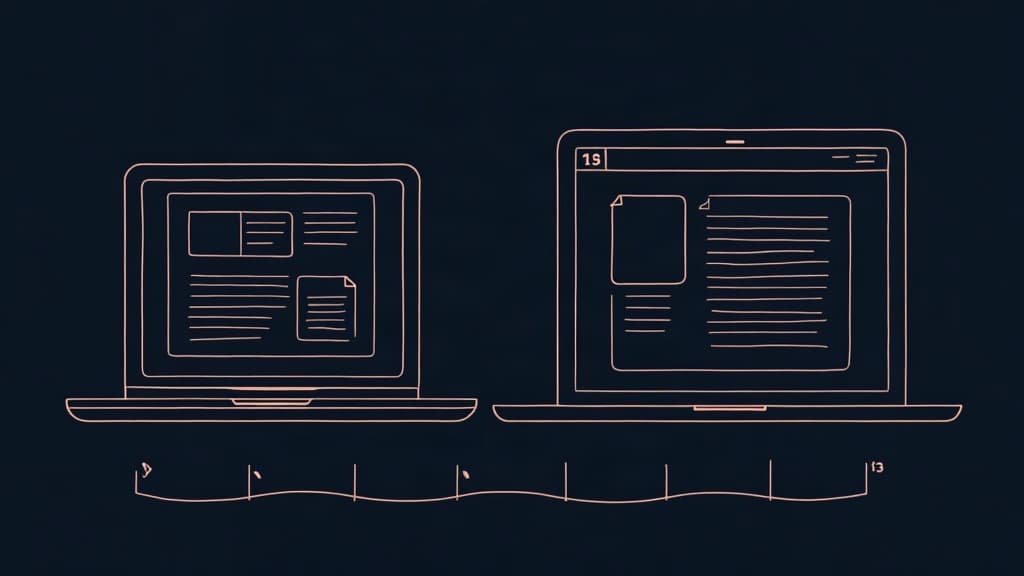
Most website redesigns don't fail on launch day. The new site goes live, it looks better than the old one, and everyone is pleased. Then, six or eight weeks later, the enquiries start thinning out. A service page that used to bring in half the leads was merged into another one. A URL that ranked on Google now returns a 404. Nobody decided to break these things. There simply was no website redesign project plan that listed what the old site did well before anyone started replacing it.
A redesign is a different job from a new build. You aren't starting from a blank page. You have traffic, rankings, content, habits your customers rely on and, usually, a long list of things the team has wanted to change for years. A good plan protects the first four and sorts the list.
This guide sets out the plan we use with clients. It has six phases, from auditing the current site to the first three months after launch. It also covers what to prepare before you talk to any studio, because the work you do in the first two weeks decides most of the budget and most of the timeline. If budget is your main question, start with our pricing page.
Why redesigns go wrong before the first design
When we take over a stalled redesign, the problem is rarely the design or the code. It is almost always one of these:
- No written goal. "The site looks dated" is a reason to start, not a goal. Without a measurable target, every opinion in the room carries the same weight, and the loudest one wins.
- No baseline. If nobody records how many enquiries, calls or orders the old site produced, nobody can say whether the new one is better.
- Content left until last. The design gets approved with placeholder text, and then the real texts don't fit the layout, or don't exist yet.
- Scope that grows every week. A redesign attracts every postponed wish: a blog, a client portal, online booking, a new logo. Each one is reasonable. Together they double the timeline.
- SEO treated as a launch-day task. Redirects, page titles and internal links need planning from the audit stage, not an afternoon before the domain switches over.
Each of these can be avoided, and each has its own place in the plan. That's the point of having one: it puts decisions in the order they need to be made, so nobody is choosing colours before anyone has agreed what the site is for.
Phase 1: audit the site you already have
Before anyone sketches a new home page, find out what the current site does. Give this phase a week. For most small business sites it takes a few days of one person's attention, plus access to the right accounts.
Record your numbers
Open Google Analytics and Google Search Console and note, for the last twelve months: visits, the pages people land on most, the searches that bring them in, and how many enquiries, calls or orders the site produced. If you don't track conversions yet, start now. Even four weeks of data before the redesign gives you something to compare against.
While you're there, run the main pages through Google's PageSpeed Insights. Google's Core Web Vitals set clear targets: the main content should load within 2.5 seconds, the page should respond to a tap within 200 milliseconds, and the layout shouldn't jump around while it loads. If your current site misses these on mobile, you have a concrete goal for the new one.
Find the pages that earn their keep
On most sites a handful of pages do most of the work. Usually it's the home page, two or three service or category pages, and sometimes an old blog post that ranks far better than anyone expected. List them. These pages keep their URLs wherever possible. If one has to move, it gets a redirect, and its content comes along with it. You can rewrite it, but don't delete it.
Take a content inventory
Export every URL on the site into a spreadsheet. Your developer can do this in minutes with a crawler, or you can start from the sitemap. For each page, mark one of four decisions: keep as it is, rewrite, merge with another page, or remove. This spreadsheet becomes the backbone of the whole project. It feeds the new structure, the content plan and, at the end, the redirect map.
Ask the people who talk to customers
Your sales team, your front desk or whoever answers the phone knows which questions the site fails to answer. Ask them for the ten questions they hear most. Usually half of them point to missing content, and the other half to information that exists but can't be found.
Check what sits under the bonnet
Last, note the technical facts: which CMS the site runs on and which version, how many plugins it uses and when they were last updated, where it's hosted, and who controls the domain. Find out whose name the domain is registered in. It's surprisingly often a former employee or the freelancer who built the first site, and getting it back can take weeks. These details decide whether a redesign on the current platform is realistic or whether the plan needs a move to a new one.
Phase 2: set goals, scope and budget
With the audit done, you can write goals that mean something. Keep them short, and tie each one to a number you recorded in phase one.
- Business goal: for example, more enquiries for your most profitable service, or fewer phone calls asking about opening hours and prices.
- Visitor goal: what a first-time visitor should understand in ten seconds, and the one action you want them to take.
- Technical goal: pass Core Web Vitals on mobile, let your team change prices without a developer, or add an English version.
Then decide what kind of project this really is. A visual refresh keeps the structure and content and changes how the site looks. A redesign changes structure, content and design together. A rebuild moves the site to a new platform as well. The Nielsen Norman Group's piece on radical versus incremental redesign is worth ten minutes here. It argues against throwing out a working site because people inside the company are bored of it, and for changing what the evidence says is broken. For a site with healthy traffic and a few clear problems, a smaller project is often the better call.
Next, split the wishlist into two columns: what must be live on launch day, and what can follow in the months after. A blog, a booking system or a customer portal can go live a month later and visitors won't miss it. Moving them into a second release is the easiest way to protect both the schedule and the budget.
Leave room in the budget for surprises as well. In a redesign they come from the old site: content nobody knew existed, an integration with invoicing software that has to keep working, a form that feeds a spreadsheet someone in accounts relies on. We suggest holding back 10–15% of the budget for these, and agreeing with the studio up front how changes to the scope are priced.
Write all of this on one or two pages. That document is your brief. It keeps the project on course when opinions start arriving, and it makes studio quotes comparable, because everyone is pricing the same thing.
What to prepare before you hire anyone
A studio can start sooner, and quote more accurately, when a few things are already in place. None of them needs technical skill.
- The brief from phase two, with goals, must-haves and the things that can wait.
- The audit numbers and the content inventory spreadsheet.
- One named decision-maker who approves design and content, and who actually has the authority to do so. Late sign-off from someone who hasn't followed the project is the most expensive delay we see.
- Logins in one place: domain registrar, hosting, the current CMS, Google Analytics, Search Console, Google Business Profile, and any payment or courier accounts such as Econt or Speedy.
- Brand assets: logo files in vector format, colours, fonts and any brand guidelines you have.
- Real photos, or a date booked with a photographer. Stock photos of smiling people in offices won't help a Bulgarian clinic or workshop stand out.
- Three to five sites you like, with a line on what you like about each. "The way their prices are laid out" is far more useful than "it feels modern".
- A budget range. You don't have to share it in the first email, but you need to know it, because it decides whether this is a refresh, a redesign or a rebuild.
When you send the brief to studios, ask each one to describe their plan in return: the phases, what they need from you and by when, and how they handle redirects. A studio that answers with only a price and a delivery date is telling you something too. The way a team plans the work before it starts is a good preview of how the project will run.
With this pack ready, the first meeting with a studio is about your business rather than about collecting passwords. Our small business website checklist covers the same ground for launch day.
Phases 3 and 4: structure, content, design and build
This is the part most people picture when they hear "redesign". With the groundwork done, it moves quickly.
Structure first
Using the inventory, draw the new sitemap: which pages exist, how they're grouped and what sits in the main menu. Test it against the ten customer questions from phase one. Each question should have an obvious place to land. Do this before any visual design, because moving a page on a sitemap takes a minute and moving it after development takes days.
This is also the moment to settle the platform, if the audit raised doubts about it. Staying on the current CMS is usually cheaper and your team already knows it. Moving makes sense when the current system is outdated, slow however it's configured, or so tangled in plugins that every update breaks something. Whichever way you go, decide it here. Changing platform after design has started means redoing work that's already been paid for.
Content alongside design
Write the texts for the key pages while the designer works. Rough drafts are fine. A designer can do a lot with a real draft and very little with lorem ipsum. If the site is bilingual, plan both languages from the start. Adding English halfway through touches every template, menu and form message.
Design and development
A typical plan for redesigning a ten-page site for a service business looks like this, assuming phases one and two are done and content arrives on time:
- Week 1: kickoff. The brief, sitemap and content plan are agreed. Writing starts.
- Week 2: home page design on desktop and mobile. One set of combined comments comes back within two working days.
- Week 3: inner page designs approved. Texts for the main pages arrive. Development starts on everything signed off.
- Week 4: the site takes shape on a private preview link. Forms, maps, booking and CRM connections go in.
- Week 5: remaining content, the second language if there is one, speed and mobile testing. The redirect map is finalised.
- Week 6: final review, launch and a short walkthrough for your team on editing the site.
That matches what we quote for marketing sites: four to eight weeks from kickoff to launch. Online stores and moves to a new platform take longer, usually eight to fourteen weeks. Our guide to how long it takes to build a website goes through where the weeks go and what tends to slow projects down.
Phase 5: launch without losing your Google rankings
This is where redesigns do the most lasting damage, and it's almost always avoidable. Every URL that changes needs a permanent (301) redirect from the old address to the closest new page. Without one, links from other sites, bookmarks and Google's index all lead to an error page, and whatever ranking that URL had built up is lost.
Google's own guidance on site moves with URL changes is clear on the main points. Map every old URL to a new one, keep the redirects for at least a year, and expect rankings to fluctuate while Google recrawls the site. For a medium-sized site, Google says it can take a few weeks or more before the new URLs fully replace the old ones in search results.
A launch checklist for a redesign:
- The redirect map is complete, every URL from the inventory points to a live page, and it's tested before the domain switches over.
- Page titles and meta descriptions from the pages that rank are carried over or improved, not left blank.
- Internal links point straight to the new URLs, not through redirects.
- Analytics and conversion tracking work on the new site from the first minute, so the before-and-after comparison is fair.
- The new sitemap is submitted in Google Search Console, and the old one is removed.
- Forms are tested end to end and the messages reach the right inbox.
- Google Business Profile, social profiles and email signatures point to the right pages.
Test all of this on the preview link before the domain switches. Click through the site on at least one Android phone and one iPhone, fill in every form, and try the ten customer questions from phase one again. Five people who weren't involved in the project will usually spot more in an afternoon than the team will in a week, because they don't already know where everything is.
Pick a quiet launch day. Tuesday morning beats Friday afternoon, and the week before your busy season is the worst time of all.
Phase 6: the first 90 days after launch
Launch day is roughly the halfway point of a redesign. The plan should cover the next three months as well.
- Week 1: check Search Console every day for crawl errors and 404s, and add any missing redirects the same day.
- Weeks 2 to 4: collect feedback from customers and staff, and fix the small things, such as a form that sends to the wrong inbox or a page that looks odd on an older phone.
- Month 2: compare enquiries, calls and orders against the baseline from phase one. Expect some movement in rankings during this period.
- Month 3: review the goals from the brief. Decide what goes into the next round of improvements, starting with the items you moved to "later" in phase two.
Be patient with the numbers in these months. A dip in the first few weeks after a redesign is common while Google processes the new URLs, and it usually recovers if the redirects are right. A fall that keeps going past the second month is the signal to look for a missing redirect, a lost page title or a page that disappeared in the move.
Agree before launch who looks after the site afterwards: updates, backups, security and small content changes. Our breakdown of website maintenance costs sets out what that usually involves and what it costs in Bulgaria.
The verdict
A website redesign project plan doesn't need to be a forty-page document. For most small businesses it's a one-page brief, a spreadsheet of every URL and a six-week schedule with tasks on both sides. What matters is the order: audit before goals, goals before design, content alongside design, redirects before launch. Put a date next to each phase, share the plan with whoever builds the site, and check it together every week until launch.
Skip the audit and you're redesigning blind, with a real chance of throwing away the pages that bring in customers. Skip the brief and the project grows until it stalls. Do those two properly and the design and development phases usually look after themselves. Our honest advice: if the current site works and only looks dated, start with a visual refresh and spend the savings on content.
Frequently asked questions
What should a website redesign plan include?
Goals tied to real numbers, an audit of the current site's traffic and top pages, a content inventory, a new sitemap, a schedule with tasks for both you and the studio, a redirect plan and a post-launch review. The budget and a list of what can wait until after launch belong in it too.
How long does a website redesign take?
For a small business site, four to eight weeks from kickoff to launch, plus a week or two of audit and planning beforehand. Online stores and moves to a new platform usually take eight to fourteen weeks. Whether the content is ready affects the date more than anything else.
Will a redesign hurt my Google rankings?
It can, if URLs change without redirects or ranking content gets deleted. With a complete 301 redirect map, carried-over page titles and content, and a sitemap submitted in Search Console, most sites see only short-term movement while Google recrawls them. Google recommends keeping redirects for at least a year.
Should I redesign or build a new website?
If the platform works and your team can edit it, a redesign on the same platform is usually cheaper. If the CMS is outdated, the site stays slow however it's configured, or every change needs a developer, a rebuild on a new platform often pays off. The audit in phase one usually makes the answer obvious.
How often should a business redesign its website?
There's no fixed cycle. Redesign when the site stops doing its job: enquiries fall, it works badly on mobile, the team can't update it, or the business itself has changed. Smaller, regular improvements between redesigns push that moment further away.
Can I keep my content during a redesign?
Yes, and you should keep anything that ranks or brings in enquiries. Content that works can move across as it is or be rewritten to fit the new structure. The content inventory from phase one tells you which pages to keep, rewrite, merge or remove.
Who should be involved in a website redesign?
Keep the core group small: one decision-maker, one person who owns the content, and the studio. Ask sales or customer service for input during the audit and for feedback on the preview, but not for sign-off on every screen. Projects with five approvers take far longer than projects with one.
What should I prepare before contacting a web design agency?
A short brief with goals and must-haves, your current traffic numbers, logins for the domain, hosting and analytics, brand files, real photos and a budget range. Name one person who makes the decisions. With that ready, quotes arrive faster and are easier to compare.
Want a second pair of eyes on your redesign plan?
Send us your current site and what you want it to do better. We'll tell you whether it needs a refresh, a redesign or a rebuild, and what a realistic plan and timeline look like.
Talk to us about your redesign →